

Skincare advice that actually looks at your skin.
Vera reads three photos of your face, scores eight things about your skin, and builds a morning and night routine you can actually follow — with the reason for every step.
- Cosmetic guidance, never a diagnosis
- Your photos, deletable any time
- Never sold, never traded

One scan becomes a routine you keep
Most skincare advice is written for nobody in particular. Vera starts from your face, your answers and your budget — then keeps checking whether it's working.
An honest read, not a compliment
Front, left and right, cropped to the same guide oval every time so two scans are actually comparable. A vision model scores eight metrics from 0 to 100 and names the regions each finding sits in — then explains what it saw and what to do about it.
Progress you can see
Re-scan weekly from the same three angles and watch the numbers move. Side-by-side comparison across the whole timeline, so six weeks of work is visible rather than remembered.
Ask Vera anything
Can I use retinol with this? What order do these go in? How long before it works? A chat assistant that knows your profile, your routine and your last analysis.
Products, matched
Concrete recommendations for each step — matched to your skin, your sensitivities and your budget, with the reason it was chosen rather than a brand name and a shrug.
Food that matters
Twenty-five foods, each naming the nutrient doing the work — vitamin C for collagen, zinc for acne, omega-3s for the barrier. Specific enough to put in the trolley.
Reminders that stay on your phone
Morning and night nudges at times you pick, scheduled locally on the device. No push server, no token, nothing about your routine leaves the phone to send them.
Every finding, on your own face
After a scan you land on a map: your three photos with the findings drawn over them, and a dial for each metric. It redraws from stored data, so looking back at last month costs nothing.
- No generated face — the findings are drawn over your own photo
- No invented coordinates: the model names a region, the app knows where it is
- No score without a reason attached to it
A generated face would not be yours — which breaks the one thing a progress app has to get right. So the map is always an overlay on the photo you took, never an image a model produced.
Where a finding can land
18 named regions
Shaded = an example finding · dot = a single blemish pin
The eight metrics
- AcneActive breakouts and congestion
- Dark spotsPigmentation and post-acne marks
- Fine linesExpression lines and creping
- RednessIrritation and visible vessels
- Oil balanceShine through the T-zone
- MoistureHydration and barrier condition
- TextureSmoothness and pore visibility
- Dark circlesUnder-eye tone and shadow
Scored 0–100, higher is better — so the number goes up as the skin improves, rather than a severity rating you have to read backwards.
Five minutes to start. Six weeks to judge.
Skin turns over about once a month, so a new routine needs two cycles before the verdict is fair. Vera is built around that timescale rather than against it.
Answer four questions
Age, skin type, what you identify as, and what you want to change. Four screens, not forty — and twelve more waiting on your profile if you want a sharper read later.
Take three photos
Front, left, right, guided by an on-screen oval and a face detector that waits until you're actually aligned. Bare skin, soft daylight, same spot each time.
Follow the routine
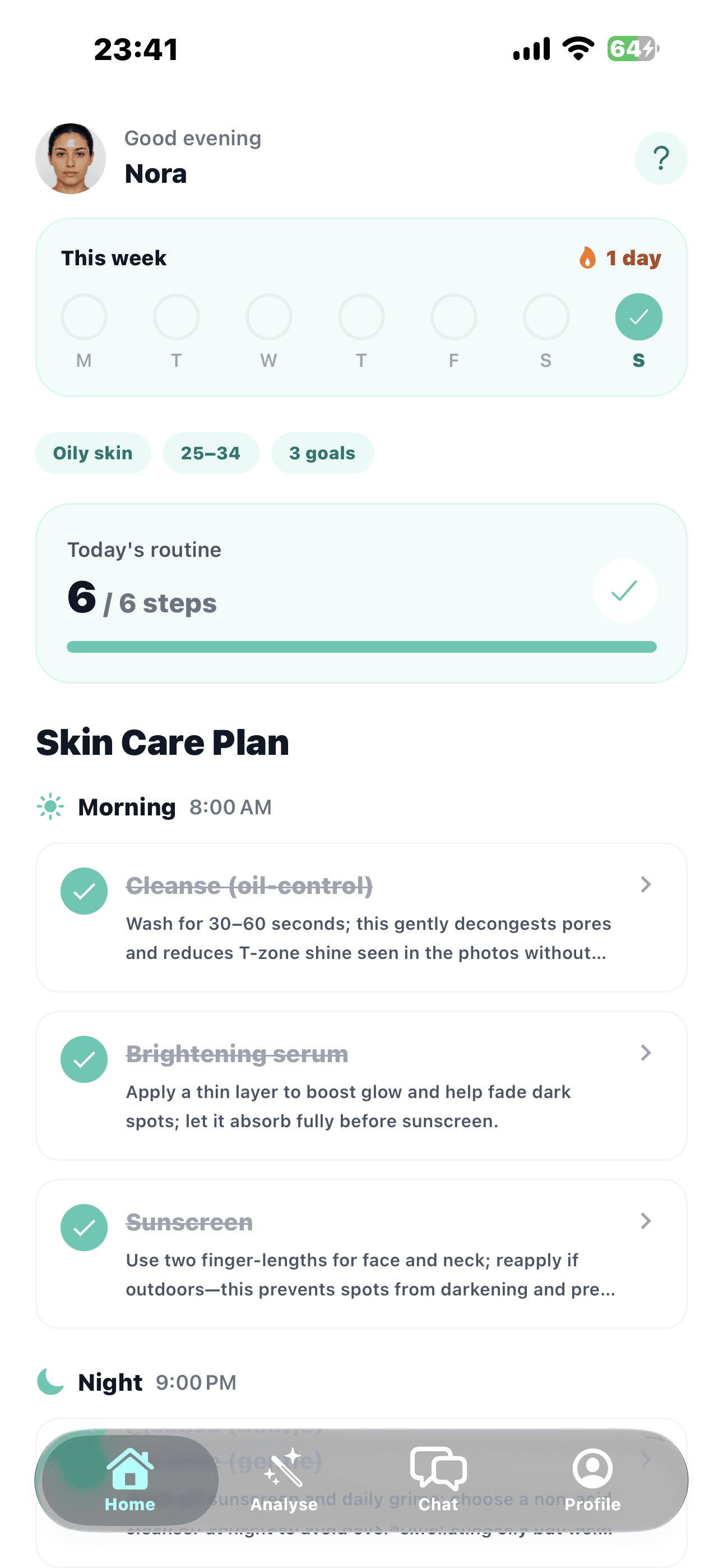
A morning and a night list with the reason for each step. Tick them off as you go; re-scan next week and see whether the numbers agree with you.
12 days
Current streak · both routines
Filled = done · ringed = today · hollow = still to come
A day in the app
- Morning routine4 steps
- Night routineunlocks at 6 PM
- Weekly re-scan3 photos
- Today's tip1 minute
The routine only works if you do it
Which is a habit problem, not a chemistry one. Vera keeps the day small: two short lists, a nudge at a time you chose, and a week you can see at a glance.
- The night list unlocks in the evening, so the day never collapses into one hurried tick-through
- Reminders are local notifications at times you set — turn them off and nothing chases you
- Miss a day and nothing shames you; the week simply shows what happened
“Skin turns over roughly every month, so a new routine needs two cycles before the verdict is fair. Changing everything at once also hides what worked.”
Vera — from the Latin verus, “true”. The whole idea is an honest read of your skin, including the parts you were hoping it would not mention.
One subscription. No add-ons, no credits.
Vera Pro is the analysis, the routine and the tracking — the parts that cost real money to run. Everything else stays free.
Free
Get set up
- Your skin profile — 16 questions, as much or as little as you like
- The daily tips library and the food guide
- Morning and night reminders
Sign in with Apple is required — there is no guest mode, because your photos and analyses have to belong to an account that can delete them.
Vera Pro
Your skin, tracked properly
- Weekly re-scan with side-by-side progress
- Full routine, with the reason for every step
- Products matched to your skin and budget
- Progress timeline across all three angles
- Chat with Vera about ingredients and order
Prices are shown in your own currency inside the app, and subscriptions are managed through your App Store account — cancel there any time.
Photos of your face deserve careful handling
Photos of your face
Stored so the app can show you your own progress, and never used to train a model. Delete an analysis, or your whole account and everything in it, from Settings.
Never sold
We do not sell personal information or skin data. It goes to the providers that run the app — hosting, storage, authentication — and nowhere else.
Reminders stay local
Routine notifications are scheduled on your device. There is no push token and no server sender, so nothing about your routine is transmitted to fire them.
Leave whenever
Account deletion is a single action in Settings, and it takes your profile, photos and analyses with it. No email, no retention window, no wait.
Cosmetic guidance, not medical advice
Vera is not a medical device and does not diagnose, treat or prevent any condition. Its analysis is informational, based on general patterns, and can be wrong about you in particular. Always consult a qualified dermatologist or healthcare professional — especially with a known skin condition or allergy, a persistent problem, during pregnancy or nursing, or if you notice an unusual change in your skin. Never delay professional advice because of something the app said.
Read the full termsGood things to know
Still wondering about something? We answer every email ourselves.
Contact usIs this a dermatologist?
No, and it never claims to be. Vera gives cosmetic skincare guidance — what to use, in what order, and why — and says so at every point where it matters. Anything that looks like a medical problem is a question for a doctor, not an app.
What happens to my photos?
They are uploaded so the analysis can run and so you can compare scans over time, and they stay tied to your account. They are not used to train models. Deleting your account deletes them along with your profile and every analysis.
How accurate is the analysis?
Accurate enough to be useful, and consistent enough to track — which is the part that matters. Photos are cropped to the same guide oval every time, so week-to-week comparisons are like for like. Lighting still moves the numbers more than skin does, which is why the app asks you to shoot in the same place and light each time.
Do I need an account?
Yes. Sign in with Apple is required — there is no guest path, because photos of your face need to belong to an account that can delete them. iOS first: Android arrives when its sign-in path does.
How often should I re-scan?
Weekly is plenty. Skin turns over about once a month, so a new routine needs six weeks or so before the verdict is fair — scanning daily mostly measures last night's sleep and today's light.
Will it tell me to buy things?
It recommends products for the steps in your routine, matched to your skin, your sensitivities and a budget you set. You are free to ignore every one of them — the step and the reason behind it are the actual advice.
Find out what your skin is actually doing.
Three photos, a few questions, and a routine with a reason behind every line of it.
Questions first? Talk to us